

AI Image Generator
Create images from text or reference photos with top AI models.
Edit photos with simple text prompts to remove objects, change scenes, and more.
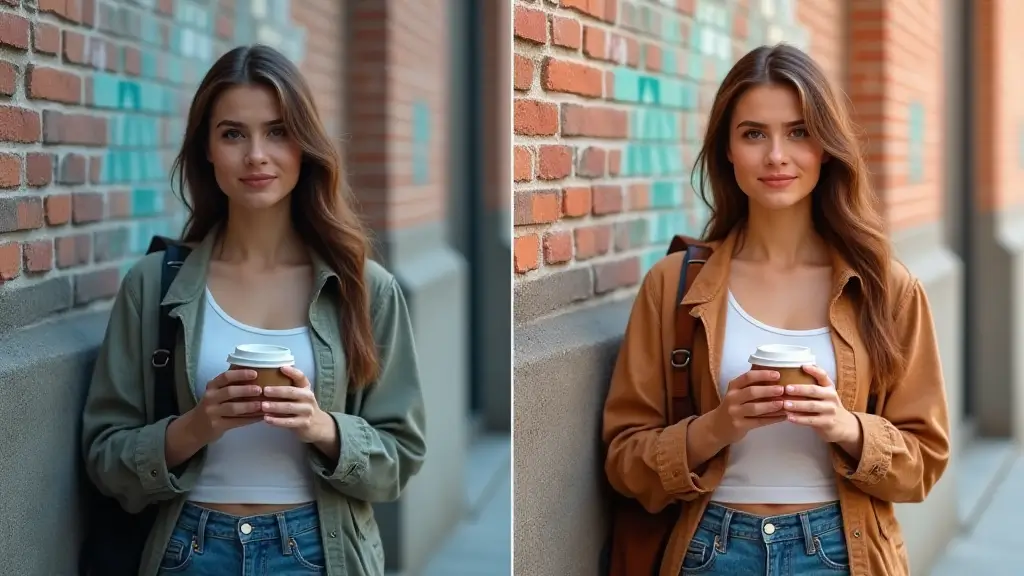
AI Image Editor works best when you already have the right photo and only need a cleaner, faster way to revise it.
Clean up unwanted elements, visual clutter, or minor imperfections when the overall composition is already approved.
Revise parts of an image for new campaigns, offers, or seasonal changes without reshooting the entire asset.
Generate multiple edit directions from the same photo so teams can compare options quickly before picking the final version.
The biggest advantage of AI Image Editor is speed. It helps teams revise existing images faster without turning every update into a full redesign task.
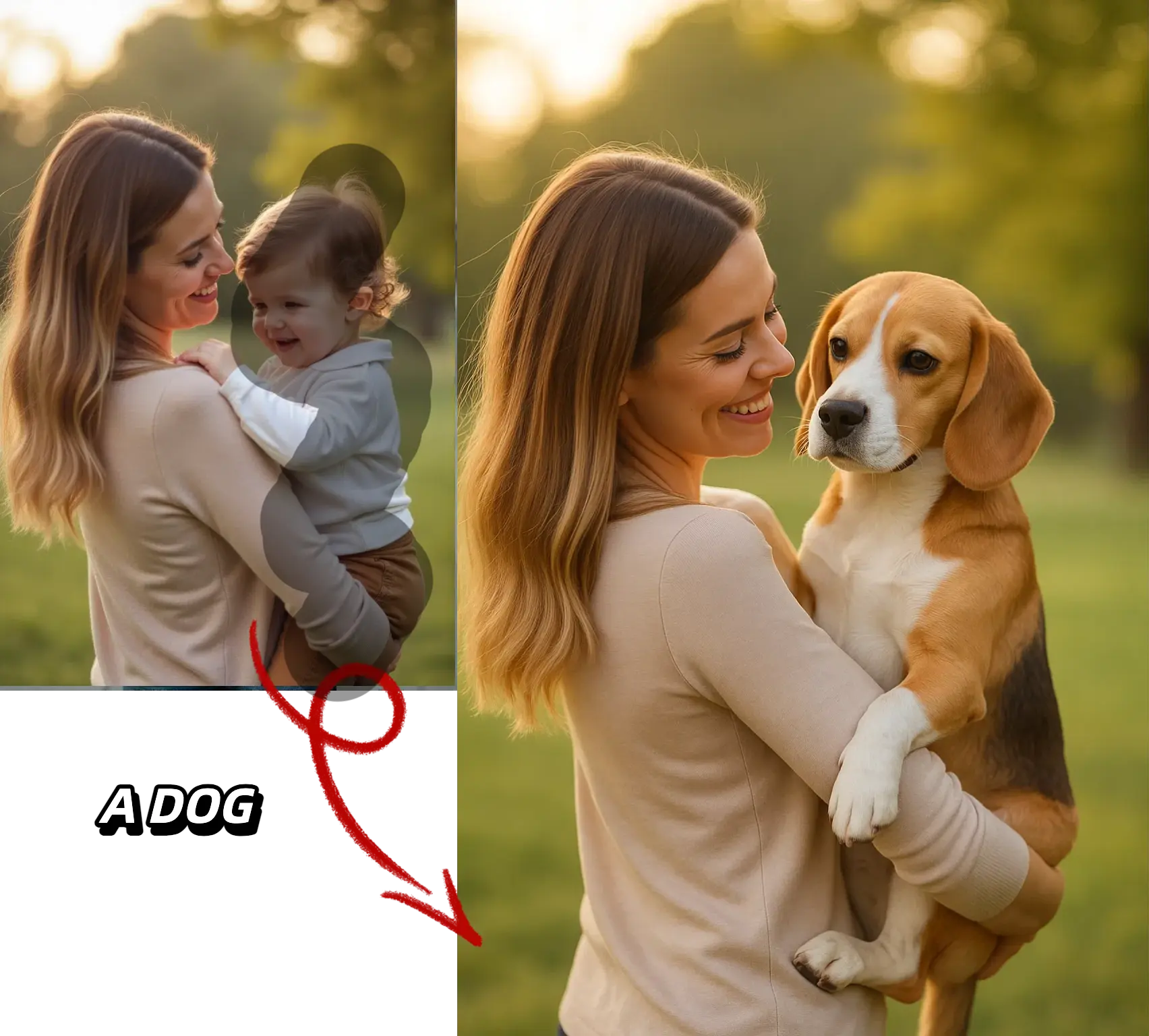
Start from the photo you want to revise, describe the change, and export only the version worth keeping
Choose the photo that already has the right composition so the edit step can focus on the parts that still need work.
Keep the instruction specific so the tool changes the right part of the image without drifting into unrelated revisions.
Review the revised image against the original, keep the version that solves the task, and export it or move it into finishing tools.
Built for targeted photo revisions, prompt control, and faster review cycles when an approved image still needs work.
Describe the change in plain language so the tool can update the image without forcing you into a manual editing workflow.
Make focused edits when you need to remove distractions, refine scene elements, or simplify a photo before delivery.
Start from the image that already works so revisions can stay closer to the original framing and composition.
Generate a few viable options quickly so teams can judge the revision against the original and approve the strongest result.
Once the edit is approved, continue with enhancement, upscaling, or export prep instead of restarting the file elsewhere.
The workflow fits common business use cases such as ad revisions, ecommerce cleanup, content refreshes, and presentation visuals.
Practical questions about prompt-based photo editing, source images, and output quality
Start from an approved photo, make the change with a clear prompt, and keep the version that is ready for delivery.


